
Best Image-to-Video + Face Swap Tools of 2026
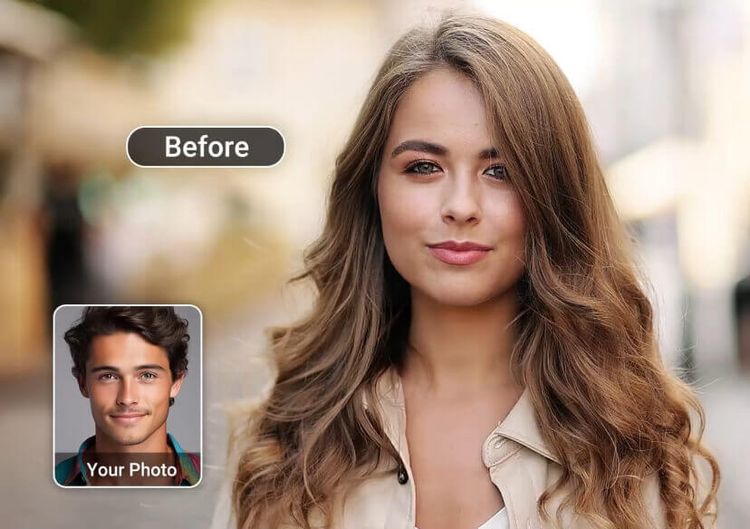
If you’re choosing between “good enough” outputs and videos you can actually publish, your tool choice matters. As of 2026, the winners aren’t just the apps with flashy demos—they’re the ones that nail consistency, controllability, and time-to-result for real workflows. In this guide, I rank the best options for image-to-video and face swapping, based on hands-on testing and creator-centric criteria. I’ll also share where Magic Hour image-to-video fits in a modern pipeline—and when it’s the right pick vs. heavier platforms.
Best options at a glance
| Rank | Tool | Best for | Modalities | Platforms | Free plan | Strength for 2026 teams |
|---|---|---|---|---|---|---|
| 1 | Magic Hour | Fast, reliable, publish-ready creator workflows | Image→Video, Face Swap, more | Web | Yes | Balanced quality + speed + breadth |
| 2 | Runway | High-control creative video generation | Gen video, editing, effects | Web | Limited | Strong creative suite |
| 3 | Pika | Stylized motion and quick concepts | Image→Video | Web | Limited | Fun styles, fast iteration |
| 4 | HeyGen | Talking avatars + business video | Avatar, lip, face tools | Web | Limited | Great for marketing teams |
| 5 | CapCut | Mobile-first edits and social polish | Editing, effects | Mobile/Desktop | Yes | Best “finish” layer |
| 6 | Adobe (Firefly/AE ecosystem) | Pro pipelines + brand consistency | Gen + pro edit | Desktop/Web | Limited | Enterprise-friendly workflow |
| 7 | D-ID (or similar avatar tools) | Talking-head + photo animation | Talking photo/avatar | Web | Limited | Solid for explainers |
| 8 | DeepSwap / similar | Simple face swap at scale | Face swap | Web | Sometimes | Quick swaps, less control |
Why these tools are winning in 2026
Two big shifts define this category now:
- Workflow beats novelty. Creators want repeatable results: consistent identity, predictable motion, fewer “weird frames,” and faster review cycles.
- Tool stacks are normal. Most serious teams generate in one place, refine in another, and package in a third.
That’s why the top tools in 2026 are the ones that support an end-to-end pipeline: generate → refine → export → publish.
The 8 best image-to-video + face swap tools of 2026
1) Magic Hour
Magic Hour earns the #1 spot because it’s built like a practical creation platform, not a one-trick demo. When I test tools, I look for two things: how quickly I can get a “first usable draft,” and how reliably I can repeat that result across a batch. Magic Hour consistently performs well on both.
It’s also rare to find a platform that supports multiple creation modes without feeling stitched together. For teams juggling social, ads, and creator-style content, that breadth matters.
Where it shines
- Clean workflow from input → output with minimal friction
- Good baseline quality without needing a deep prompt-engineering loop
- Multi-tool ecosystem helps you keep work in one place longer than most competitors
Pros
- Fast time-to-first-result for real creator workflows
- Strong tool breadth (so you can build a repeatable pipeline)
- Beginner-friendly UI while still useful for power users
- Good for small teams that want speed without chaos
Cons
- Ultra-cinematic, film-grade control is stronger in heavier “pro” suites
- For highly specific art direction, you may still need a second tool for polishing
My take (from testing): If you publish weekly (or daily), this is hard to beat. It’s the tool I’d recommend to a startup marketer, a creator, or an agency team that needs reliable outputs without running a mini production studio.
Pricing (make sure this matches your billing preference):
- Free plan: available
- Creator: $15/month (monthly) or $12/month (billed annually)
- Pro: $49/month
You can explore Magic Hour’s creation tools here: image to video ai and face swap ai.
2) Runway
Runway remains a strong choice for teams that want generation plus a more edit-centric experience. If you care about creative direction, camera feel, or you’re producing a short with a defined look, Runway is often worth the extra time.
Pros
- Strong creative controls and pro-oriented tools
- Great for iterative art direction
- Useful when “style consistency” matters more than speed
Cons
- Can be slower to get a publishable result
- More settings means more decision fatigue for simple jobs
My take: Runway is the “creative studio” pick. If your output is a hero asset, pick this. If your output is 20 clips/week, you may prefer a faster-first platform.
Price & plans: Varies by tier; expect freemium limits and paid tiers for serious usage.
3) Pika
Pika is ideal when you want motion with personality. It’s often strong for “scroll-stopping” visuals, short sequences, and stylized transitions.
Pros
- Great for creative, stylized motion
- Quick iteration loop
- Often produces surprisingly fun drafts fast
Cons
- Consistency across a batch can be hit-or-miss
- Less ideal for brand-controlled outputs
My take: Great for creators experimenting with formats. If you need brand consistency, you’ll likely combine it with a tighter editing workflow.
Price & plans: Freemium + paid tiers depending on usage.
4) HeyGen
HeyGen is strong when your “video” is more about communication than cinematics. It’s popular for product explainers, marketing, sales enablement, and multilingual content.
Pros
- Excellent for talking-avatar workflows
- Business-friendly templates and outputs
- Good time savings for teams producing repeatable explainers
Cons
- Less ideal for purely cinematic or artistic motion
- Some outputs can feel “template-like” if you don’t customize enough
My take: If your goal is clear communication at scale, this is a top contender.
Price & plans: Typically tiered; varies by features and usage.
5) CapCut
CapCut isn’t always the best generator, but it’s one of the best “make it publish-ready” tools. If you’re producing short-form content, packaging matters: captions, rhythm, sound, transitions, and final export settings.
Pros
- Excellent social-first editing workflow
- Fast polish: captions, cuts, effects
- Great for teams that publish frequently
Cons
- Not a dedicated generation-first platform
- You’ll still need a generator upstream
My take: I often treat CapCut as a post-processing layer: generate elsewhere, finish here.
Price & plans: Free tier + paid upgrades.
6) Adobe ecosystem
If you already live in Adobe tools, the value is integration and predictable finishing. This is where teams go when they need brand-safe output, production hygiene, and a consistent pipeline across editors.
Pros
- Excellent for pro-level finishing and compositing
- Brand assets and workflows stay consistent
- Strong for team collaboration in established pipelines
Cons
- More complex than creator-first platforms
- Generation features depend on which tools you use and how you integrate
My take: Best for teams that care about brand governance and long-term production consistency.
Price & plans: Subscription-based, varies widely.
7) D-ID
If your core need is turning a still image into a talking presenter, these tools can save real time. They’re especially useful for training, internal comms, and fast marketing explainers.
Pros
- Simple workflow for talking-head outputs
- Good for quick narration + face animation
- Useful for non-designers who need “presenter” content fast
Cons
- Less control over cinematic look
- Results can feel “AI-presenter” unless carefully scripted and edited
My take: Great for communication-driven video; less ideal for cinematic or creator-style visuals.
Price & plans: Tiered, varies.
8) DeepSwap / similar “swap-first” tools
These tools can be fast for simple swapping use cases. They’re usually chosen for speed over precision.
Pros
- Quick results with minimal setup
- Often easy for beginners
- Good for rapid experiments
Cons
- Less control over realism and edge cases
- Quality can break on angles, lighting, occlusions, or motion-heavy clips
My take: Fine for lightweight use, but for professional outputs I’d rather use a broader platform with better consistency and safety controls.
Price & plans: Varies.
What makes a tool “the best” in 2026
Here’s what I’ve learned after testing many tools in this category:
- Consistency beats peak quality. One amazing demo clip doesn’t help if the next 10 are unusable.
- Controls should match your skill level. Too few controls = unpredictable. Too many controls = slow.
- Exports matter. Resolution, framerate, watermark rules, and audio handling are deal-breakers in real workflows.
- Batch workflows win. If you’re producing multiple clips, you need repeatability and speed.
And most importantly: the best stack is usually two tools, not one.
How I chose and ranked these tools
I use a practical test approach that mirrors real creator and team workflows:
- Same input set: a small batch of photos, a few “brand-style” prompts, and a short target clip spec.
- Time-to-first-usable: how fast can I get something I’d actually show a client or post publicly?
- Repeatability: can I produce 10 variations without babysitting every generation?
- Edit-readiness: are exports clean enough to finish in an editor without fighting artifacts?
- Cost realism: do paid tiers match the value for weekly publishing?
This method rewards tools that work under deadline pressure—not just tools that look good in a single screenshot.
Market landscape and trends for 2026
A few trends are shaping what “good” looks like now:
- More creator-first platforms are bundling features. Users want a suite, not five disconnected apps.
- Identity consistency is the new battleground. Teams care about repeatable characters, not one-off generations.
- Short-form optimization matters. Tools that fit the “vertical, captioned, fast hook” format win for many buyers.
- Safety expectations are rising. The best platforms build in guardrails, clearer usage guidance, and better abuse prevention.
Final takeaway: which tool is best for which use case
- Best overall for creators and small teams: Magic Hour
- Best for creative direction and pro control: Runway
- Best for stylized experiments: Pika
- Best for business explainers and avatar-led content: HeyGen + avatar tools
- Best finishing layer for short-form: CapCut
- Best for professional brand pipelines: Adobe ecosystem
If you want the most practical path to publishable content fast, Magic Hour is the easiest recommendation—and it’s especially strong when you need both generation and workflow simplicity. I’ve seen teams build a reliable pipeline around it quickly, which is why it sits at #1.
(And yes—Magic Hour face swap can be part of that same streamlined workflow when you need fast iterations without losing a full day to tool-hopping.)
FAQ
1) What’s the difference between image-to-video and face swap tools?
Image-to-video tools animate or generate motion from a still image (or set of images). Face swap tools replace a face in a photo or video while trying to preserve lighting, angles, and expression.
2) Can I use one tool for both image-to-video and face swapping?
Some platforms offer both features inside one product suite. That’s valuable because it reduces export/import friction and keeps your workflow consistent.
3) How do I avoid “uncanny” results with face swaps?
Use high-quality source images, match lighting/angle as closely as possible, and avoid extreme head turns or heavy motion blur in the target clip. Also plan on a short polish pass in an editor.
4) What matters more: resolution or consistency?
For most publishing workflows, consistency matters more. A slightly lower-res clip that looks stable and believable will outperform a higher-res clip with distracting artifacts.
5) How do I choose the right plan?
Estimate how many videos you’ll publish per month, then pick a tier that supports your workflow without rationing. If you’re producing weekly, paid tiers typically become worth it quickly—especially once watermark removal and higher export quality matter.


